App-ads.txtCOMPLIANCE
APP-ads.txt
Section titled “APP-ads.txt”What is app-ads.txt
Section titled “What is app-ads.txt”APP-ads.txt is a text file published on your developer website listing authorized ad sources for your app’s ad inventory. It helps verify authorized ad relationships and improve fill rates and revenue.
Deployment Steps
Section titled “Deployment Steps”Prerequisite: Your developer website must be listed in Google Play / App Store, and the domain hosting app-ads.txt must match exactly.
Step 1: Get Content from HeheBid Dashboard
Section titled “Step 1: Get Content from HeheBid Dashboard”- Log in to HeheBid
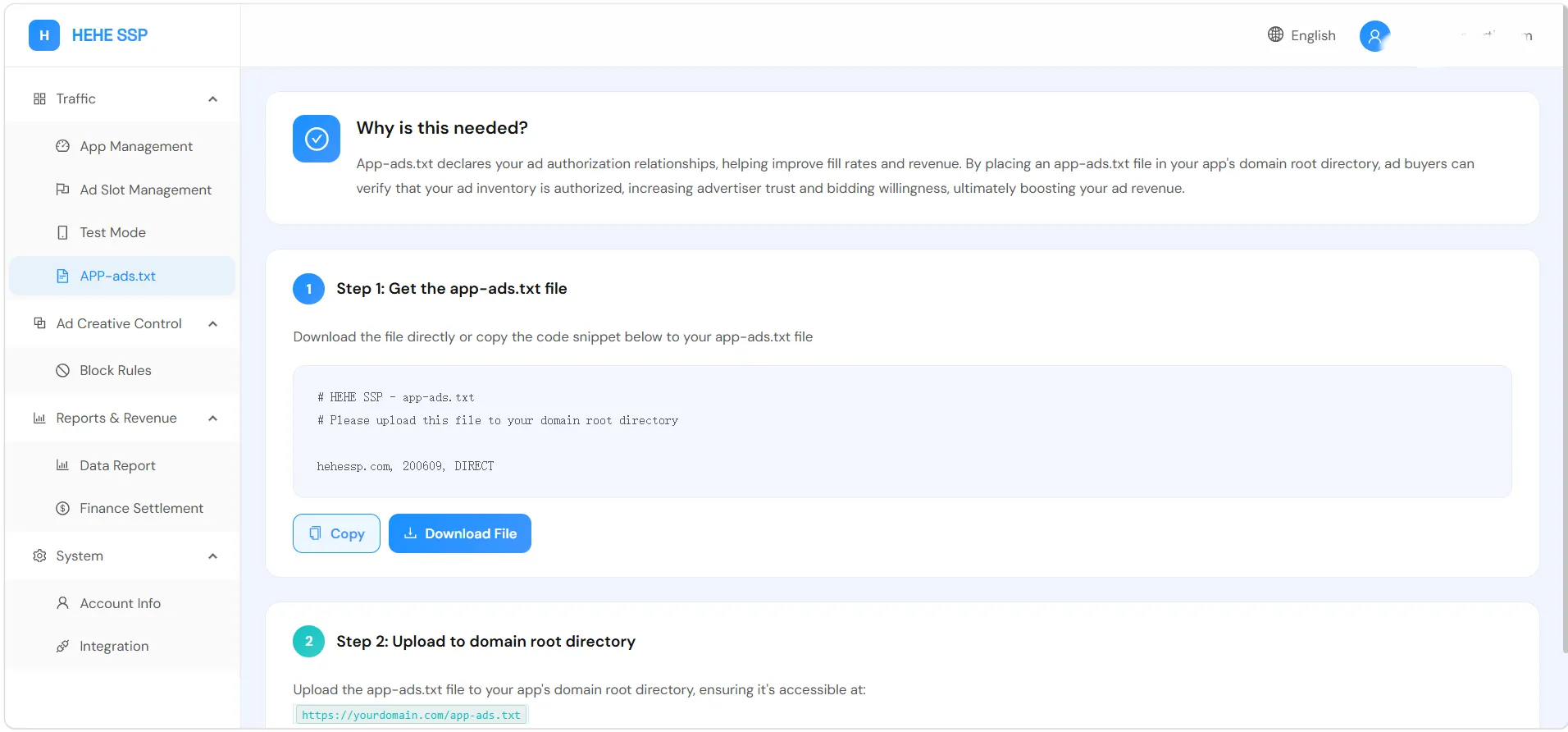
- Go to Traffic Management → APP-ads.txt
- Download the file or copy content to clipboard
Step 2: Publish at Website Root
Section titled “Step 2: Publish at Website Root”Create or edit app-ads.txt at your website root:
- Correct:
https://yourdomain.com/app-ads.txt - Incorrect:
https://yourdomain.com/subdir/app-ads.txt
Verify in an incognito window that the file displays as plain text without login.
Step 3: Link Developer Website in App Stores
Section titled “Step 3: Link Developer Website in App Stores”Apple App Store
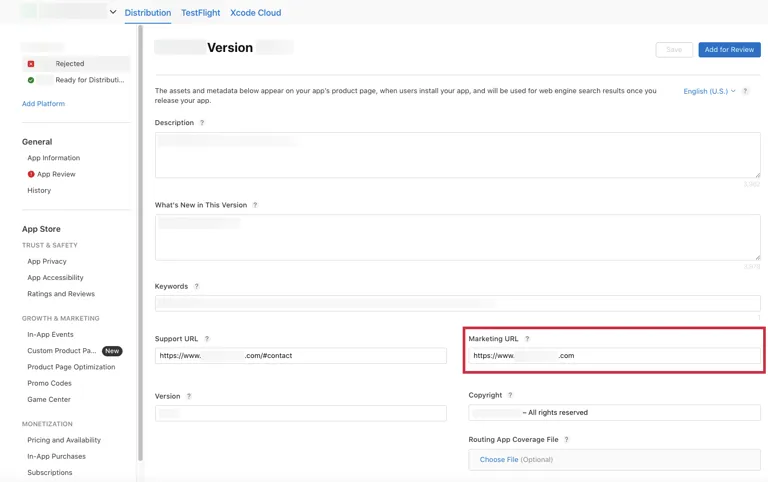
Section titled “Apple App Store”Log in to App Store Connect and set the Marketing URL to your website.
Google Play
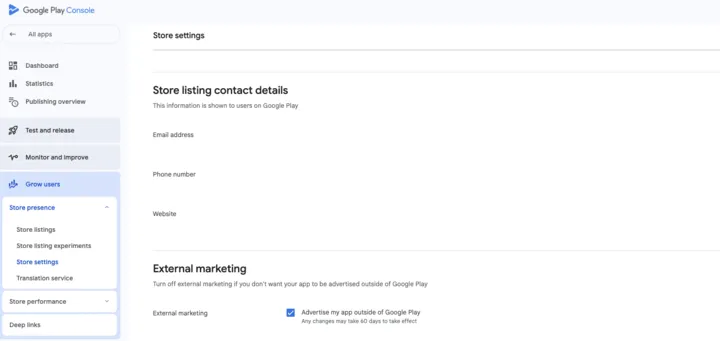
Section titled “Google Play”Log in to Google Play Console, go to Store presence → Store settings, and set your developer website.